
Best sort order on Windows Explorer and File Dialog for Tracking Work History:
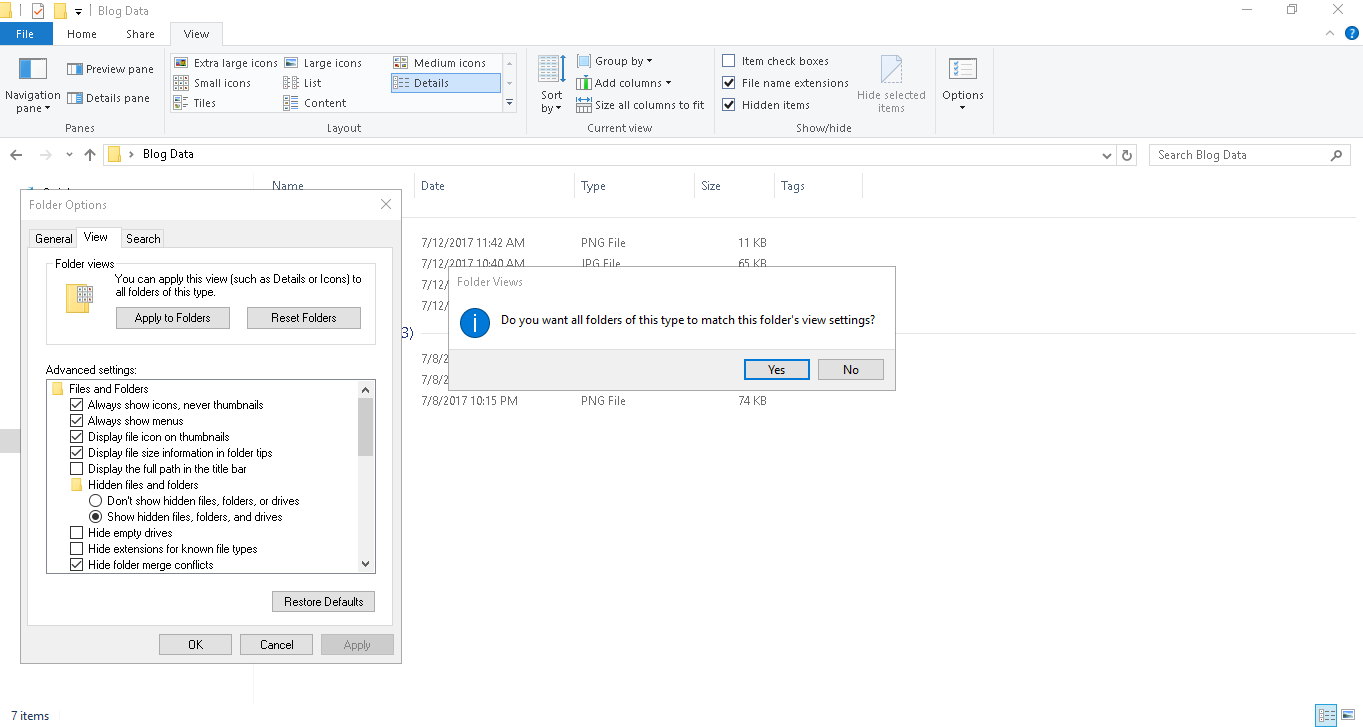
- Open any folder, Select View Menu.
- Select Sort By value to Date Modified and Descending. (Layout = Details)
- Select Group By value to Date Modified and Descending.
- Select Options – Change Folder and Search Options.
- Select View tab, Apply to all folders
This will always sort folders and documents by date Modified.
Easy to continue where you left your work and track your work History.